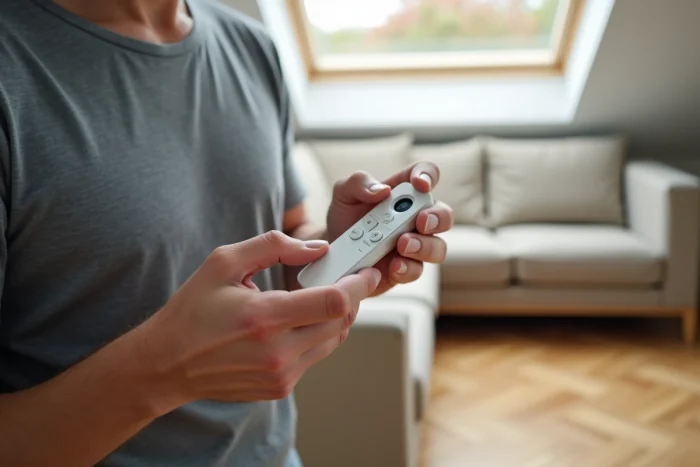
A Velux remote control that no longer operates the roller shutter is not necessarily defective. In most cases, the radio link between the remote control and the motor of the shutter has simply become desynchronized. The reset involves clearing this radio pairing and then restoring it so that the remote control and the motor can communicate again on the same channel.
io-homecontrol protocol and radio memory of the Velux roller shutter
Recent Velux roller shutters use the io-homecontrol radio protocol, a bidirectional standard that confirms each command sent. The remote control (KLI 110, KLI 310, KLR 100, or KLR 200) stores in memory the identifier of the motor it controls. The motor, for its part, keeps a list of authorized remote controls.
When this memory becomes corrupted, after a prolonged power outage, a battery change, or a software bug, the shutter stops responding. The reset procedure clears these identifiers to allow for a clean new pairing.
Before starting a reset, it is useful to know precisely how to reset a Velux roller shutter remote control according to the model concerned, as the manipulation differs between older individual remote controls and recent touch interfaces.
Targeted reset or factory reset: choosing the right method
There are two levels of reset, and confusing them can create more problems than it solves.
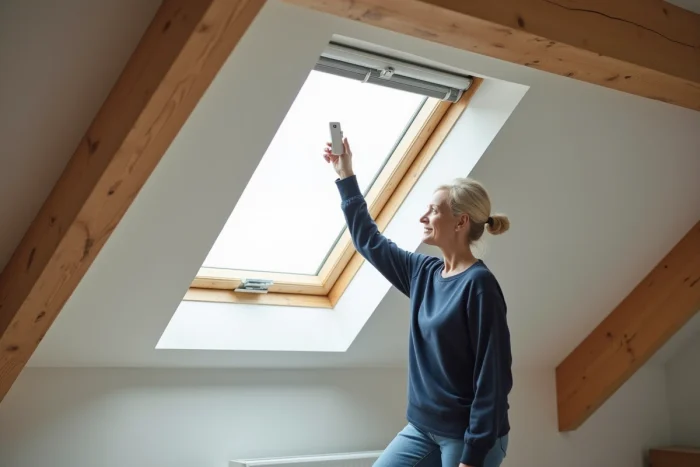
Targeted radio reset on the product
This method only removes the link between one remote control and a specific shutter. It preserves any scenarios, scheduled programs, and groups stored on the remote control. io-homecontrol installation guides recommend prioritizing this targeted reset whenever the problem concerns a single shutter.
Complete factory reset
The factory reset clears all memory from the remote control: product identifiers, groups, automations. On advanced remote controls (KLR type or Velux App Control), all scenarios and scheduled programs will be lost. Each shutter will then need to be re-paired one by one, which can take time in a house equipped with multiple roof windows.
In summary, a shutter that no longer responds calls for a targeted reset. The factory reset is only justified if multiple shutters are having problems simultaneously or if the remote control shows inconsistent behavior overall.
Reset procedure according to the type of Velux remote control
The manipulation varies according to the model. Here are the steps for the most common references.
KLI 110 and KLI 310/311 remote controls
These single-product remote controls operate a single roller shutter or window. The reset is done through the motor of the shutter itself.
- Turn off the power to the roller shutter at the circuit breaker for about twenty seconds, then restore power. The motor enters discovery mode for a few minutes.
- On the remote control, press and hold the programming button (often a small recessed button accessible with a paperclip) until the shutter makes a brief movement, indicating that the pairing is accepted.
- Test the up and down functions. If the shutter responds, the reset is complete.
KLR 100 and KLR 200 remote controls
These multi-product remote controls manage several shutters and windows. The targeted radio reset is done from the remote control menu.
- Access the “System Settings” or “Configuration” menu of the remote control (the exact wording depends on the firmware version).
- Select the product to reset, then choose the “Delete” or “Unpair” option.
- Then restart a product search from the remote control to re-pair the relevant roller shutter.
Velux Touch and Velux App Control
Since the introduction of the Velux Touch, the touch interface centralizes the control of all Velux io-homecontrol products in the house. Resetting via this central unit does not always reset the radio memory of the original individual remote control. If the shutter does not respond after a reset from the Velux Touch, a physical reset directly on the motor or receiver (type KUX 100 or KUX 110) must be performed by turning off and then restoring the power supply.
Solar Velux roller shutter: the battery as a failure factor
Solar Velux roller shutters operate with a battery recharged by a photovoltaic panel integrated into the casing. On recent models equipped with Li-ion batteries, a deeply discharged battery can prevent any radio communication, even after resetting the remote control.
The reflex to have: check that the solar panel is not obstructed (dead leaves, snow, dirt). If the shutter still does not respond after cleaning and several hours of exposure, the battery itself may be at the end of its life. Replacing the battery gives the motor the energy needed to respond to the radio command, making the reset of the remote control effective.
On a solar shutter, the logical sequence is therefore: check the battery first, reset next. Reversing this order wastes time.
When resetting the Velux remote control is not enough
If the roller shutter remains silent after a targeted reset, a factory reset, and a battery check (for solar models), the problem is likely at the level of the motor, the integrated radio receiver, or the mechanical slat stuck in the casing.
A misaligned slat or jammed slats prevent descent, and the motor goes into safety mode. This type of mechanical failure has nothing to do with the remote control. Forcing the command by repeatedly pressing the button will not change anything and risks straining the motor.
In this case, an intervention on the roller shutter casing, accessible from the inside under the roof window, allows for checking the state of the slat and repositioning it manually. If the motor produces no sound during a command attempt despite confirmed power, replacing the motor or the receiver module becomes the next step to follow.