
You receive a Kadéos check from your employer, you open Amazon, and there’s no box to enter a paper check number at the time of payment. This situation is common and generates a lot of frustration. The reason is simple: paper Kadéos checks are no longer accepted directly on Amazon. Guides describing a postal submission of the vouchers date back to before 2023 and no longer reflect reality.
However, there are concrete solutions to spend your Kadéos on the platform, provided you go through the right channels.
Kadéos Mastercard on Amazon: the constraint of the exact balance
The most direct method to pay for an Amazon purchase with a Kadéos is to use a Kadéos gift card linked to the Mastercard network. You add it to Amazon like any other credit card, entering the number, expiration date, and security code.
The catch comes at the time of payment. Amazon does not allow splitting an order between the Kadéos card and another credit card. If the cart total exceeds the available balance on the Kadéos card, the payment is declined. No supplement is possible with a regular credit card.
In practice, there are two options to bypass this limit:
- Adjust your cart so that the total remains less than or equal to the balance on the Kadéos card, even if it means making several small orders.
- Purchase an Amazon gift card for the exact amount of the Kadéos balance, then use this Amazon credit freely, including in conjunction with another payment method.
- Check the remaining balance on the MyEdenred app or the Kadéos website before each payment attempt to avoid a transaction rejection.
This method works with Kadéos Universel and Kadéos Zénith cards. However, returns vary with Kadéos Horizon cards, which seem to be excluded from the Mastercard network usable online. It is recommended to check for the “Mastercard” mention on the front of the card before attempting a purchase.
To better understand how to pay on Amazon with a Kadéos check, you also need to know about the conversion route via the Kadéos online store.
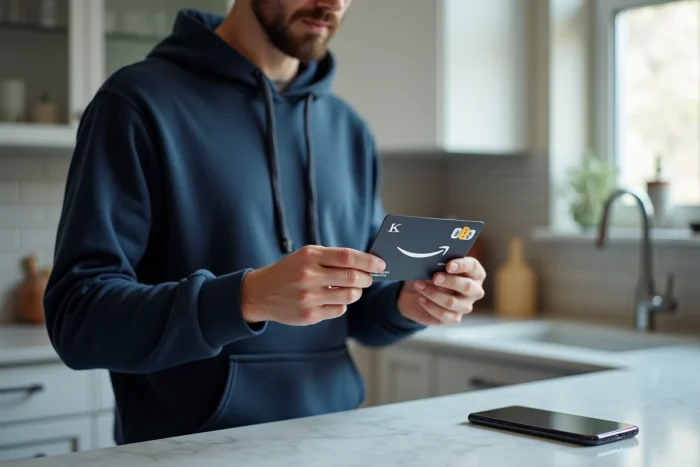
Conversion to Amazon e-gift card via the Kadéos Connect store
When you have a paper check or a Kadéos Culture card, the Kadéos online store (accessible via the MyEdenred app) becomes the necessary step. The principle: convert the Kadéos balance into an Amazon Culture gift voucher.
Steps on MyEdenred
You log in to the MyEdenred app or the Kadéos Connect website. You select the Amazon brand from the partner catalog, then choose the amount of the Amazon e-gift card to generate. The gift voucher is sent by email in the form of a code to enter on Amazon.
The Amazon code obtained can be easily combined with other payment methods. This is the major difference from the direct use of the Mastercard card: the Amazon voucher allows for completion with a regular credit card.
Restrictions related to the Kadéos range
Not all cards grant access to the same vouchers. Kadéos Culture cards provide access to Amazon Culture vouchers, limited to cultural products (books, music, video games, software). Kadéos Universel and Zénith cards allow for a broader range. Kadéos Horizon cards are generally not eligible for conversion to Amazon e-gift cards on the Kadéos Connect store.
Before initiating a conversion, check the validity date of the voucher. An expired check or card can no longer be converted, and the claim with Edenred for reissue is lengthy.
Paper Kadéos checks: why postal submission no longer works
Several old guides describe a procedure where you would send your Kadéos checks by registered mail to an Amazon address to credit your account. This procedure is no longer operational. Amazon has removed the “payment by Kadéos check” option from its checkout process.
Holders of paper checks therefore have only one option: conversion via the Kadéos Connect store described above. If the paper check is still valid, you can link it to your MyEdenred account, then generate an Amazon voucher from the platform.
For checks nearing their expiration date, it’s better not to wait. The conversion takes a few minutes online, but an expired voucher loses all value, with no simple recourse.
Kadéos and partner brands: when Amazon is not the best option
We often think of Amazon as the first reflex, but the Kadéos partner brand network covers a very wide catalog in physical stores. For certain purchases, using the Kadéos card directly in a partner store avoids any conversion and eliminates the risk of insufficient balance.
- Cultural brands (Fnac, Cultura) directly accept Kadéos Culture cards at checkout, with no co-payment limit.
- Fashion, home, or sports brands in the Kadéos Universel network allow for mixed payment (Kadéos card + credit card) in-store.
- Partner supermarkets sometimes offer a product selection comparable to Amazon for everyday items.
The Kadéos partner network is regularly evolving. You can check the updated list on the Edenred website or in the MyEdenred app to ensure that a brand is still eligible before going out.
The real question to ask before converting your Kadéos into an Amazon voucher is: is the targeted product available cheaper or more easily at a direct partner of the network? The conversion to Amazon e-gift card remains relevant for purchases that cannot be found elsewhere or when you want to consolidate several small Kadéos balances into one account. For everything else, payment in a physical store remains smoother and without intermediaries.